
How to use the TikTok Pixel for your ads?
The first advantage of using a TikTok tracking pixel is that you can track the ROI of your advertising campaigns on the platform. But also, many other advantages for your ads:
March 12, 2026

Would you like to know how your ads are perceived by TikTok users and measure their impact on your website?
Thanks to Pixel TikTok ; a simple piece of code that you can install on your site, to easily track your conversions and optimize your future advertising campaigns.
In this guide, we'll show you the benefits of using the TikTok Pixel and how it works. You will also discover how to install this tool on your website or your Shopify store in order to use its data to track conversions and improve the performance of your TikTok Ads.
What is the TikTok Pixel?
The TikTok Pixel is A piece of Javascrip code that you install on your website.
Once installed, TikTok automatically captures user actions on your website and can Follow events such as adding to the basket or placing an order. These events will then be saved in your TikTok Ads account. So you can measure performance of your campaigns, optimize distribution of your ads and parse which generate the most sales.
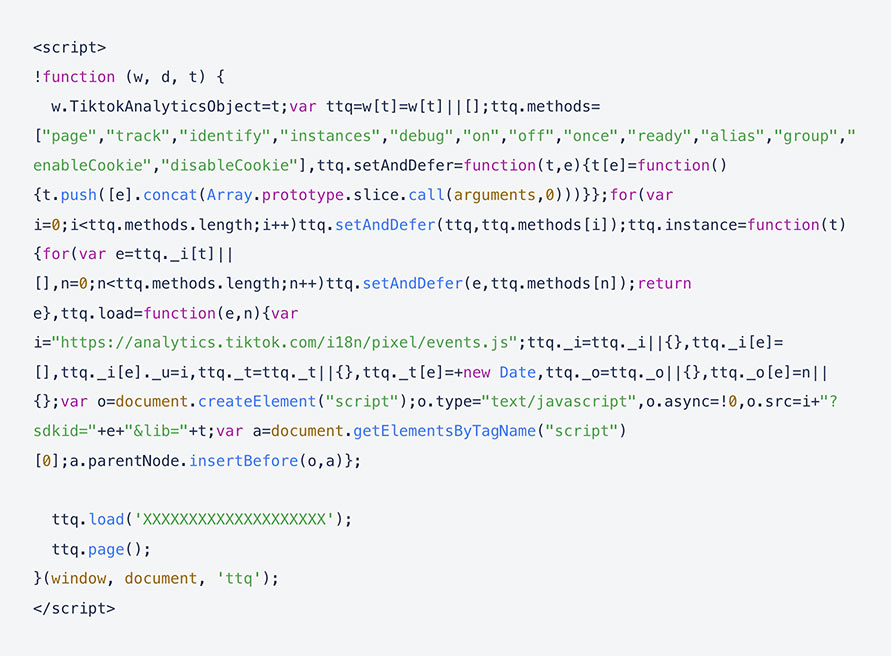
In concrete terms, here is an example of the code snippet to install on your website:
Why use Pixel TikTok?
The first advantage of using a TikTok tracking pixel is that track the ROI of your advertising campaigns on the platform. But also, of numerous other advantages for your ads:
- Track conversions in a very precise way. For example, adding to the basket, making a payment and placing an order on your site.
- Boost campaign optimization using the data collected by the pixel, they feed the algorithm to help optimize auction models;
- Personalize the audience with interaction signals collected by the TikTok Pixel. For example, you could rework targeting an audience that has abandoned their shopping cart and offer them free shipping to encourage them to complete the order before the end of a deadline. In addition, you can extract the attributes that worked best in your previous campaigns to target a more qualified audience in future campaigns. TikTok advertising campaigns.
Beyond the many concrete benefits that Pixel TikTok offers your brand in terms of tracking its advertising performance, it is a very easy tool to set up. It requires minimal maintenance, as new versions of Pixel TikTok are updated automatically.
How does the TikTok Pixel work?
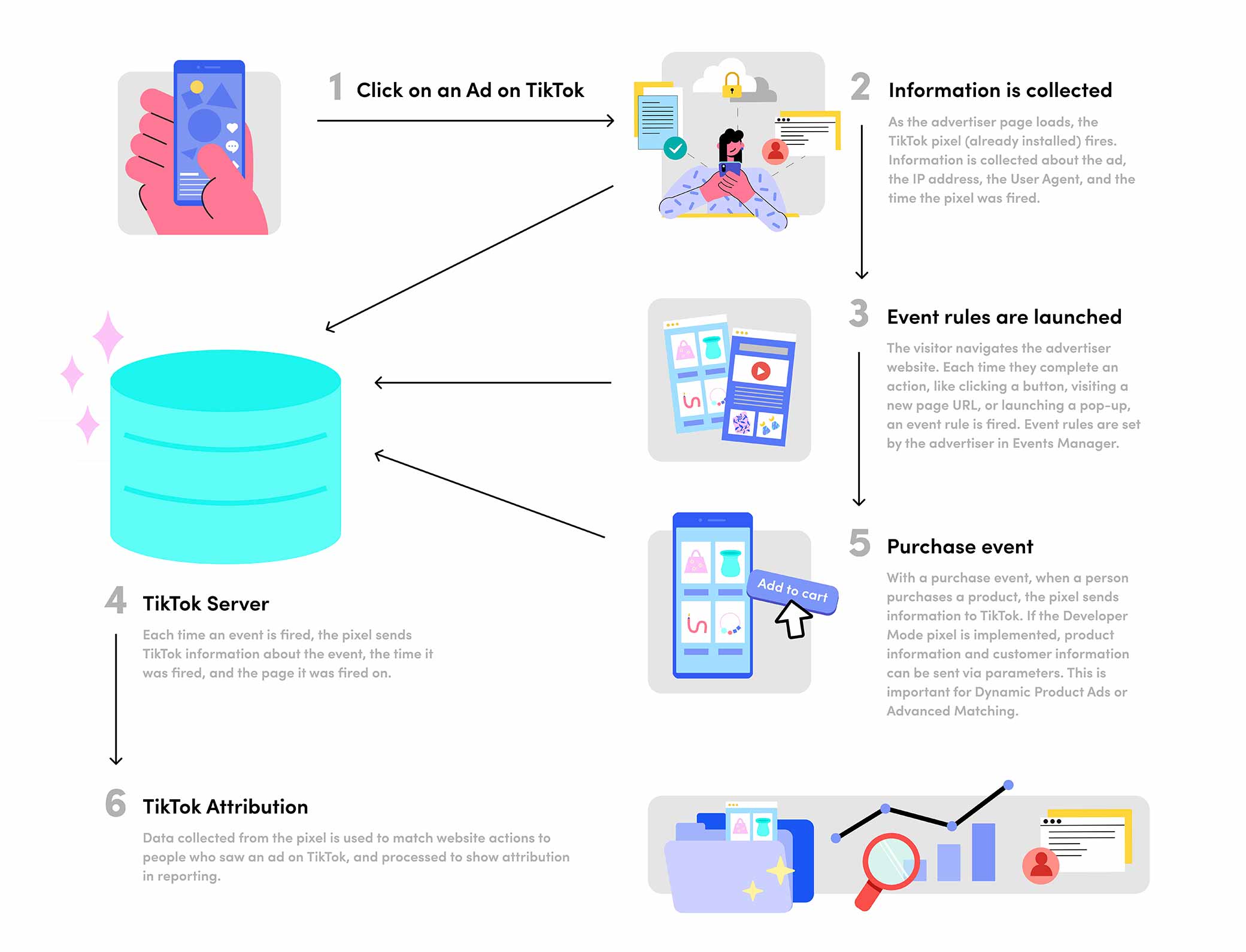
But How does Pixel TikTok to gather all this information?
Concretely, this piece of code will track and give you back all the information concerning TikTok users who are redirected to your site. via classic web browsers, like Google Chrome or Bing, for example.
In this data, we find:
- Information related to ads which users clicked on and what events/actions on your website this triggered;
- The timestamp: which is the time when the Pixel event took place. You will therefore know precisely when the user visited your site, put an item in their basket or purchased a product;
- The IP address used to determine the geographic location of the visitor;
- The user agent: either the type of device (model and brand) as well as the operating system and the browser used by the visitor;
- First-party and third-party cookiess: they are activated by default with the TikTok Pixel. These cookies allow you to measure the impact of your campaigns more effectively in order to optimize future ones. You can even boost your performance by combining first-party and third-party cookies via the Advanced Correspondence option.
How do you install the TikTok Pixel on your website?
Now that you know the benefits of using the TikTok Pixel and how it works, all you have to do is install it on your site by following the steps below:
Step 1: Create your TikTok Pixel
First you have to Have a TikTok Business account. Then connect to it and go to TikTok Ads Manager > Assets > Events.
Choose whether you want to follow events on the app or on your website.

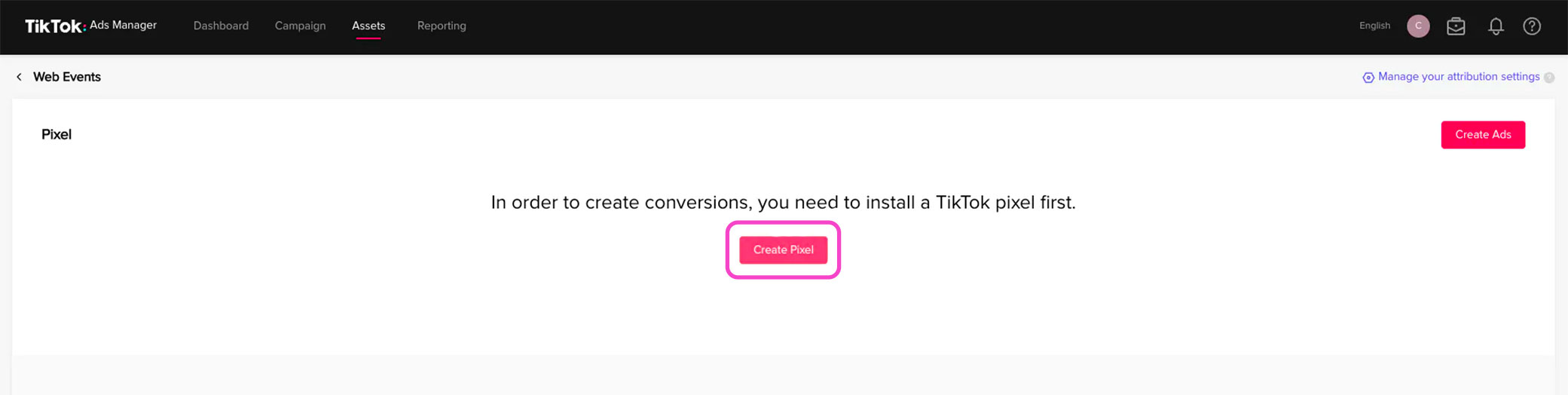
Then click on Create a pixel. This will take you directly to the Pixel TikTok home screen.
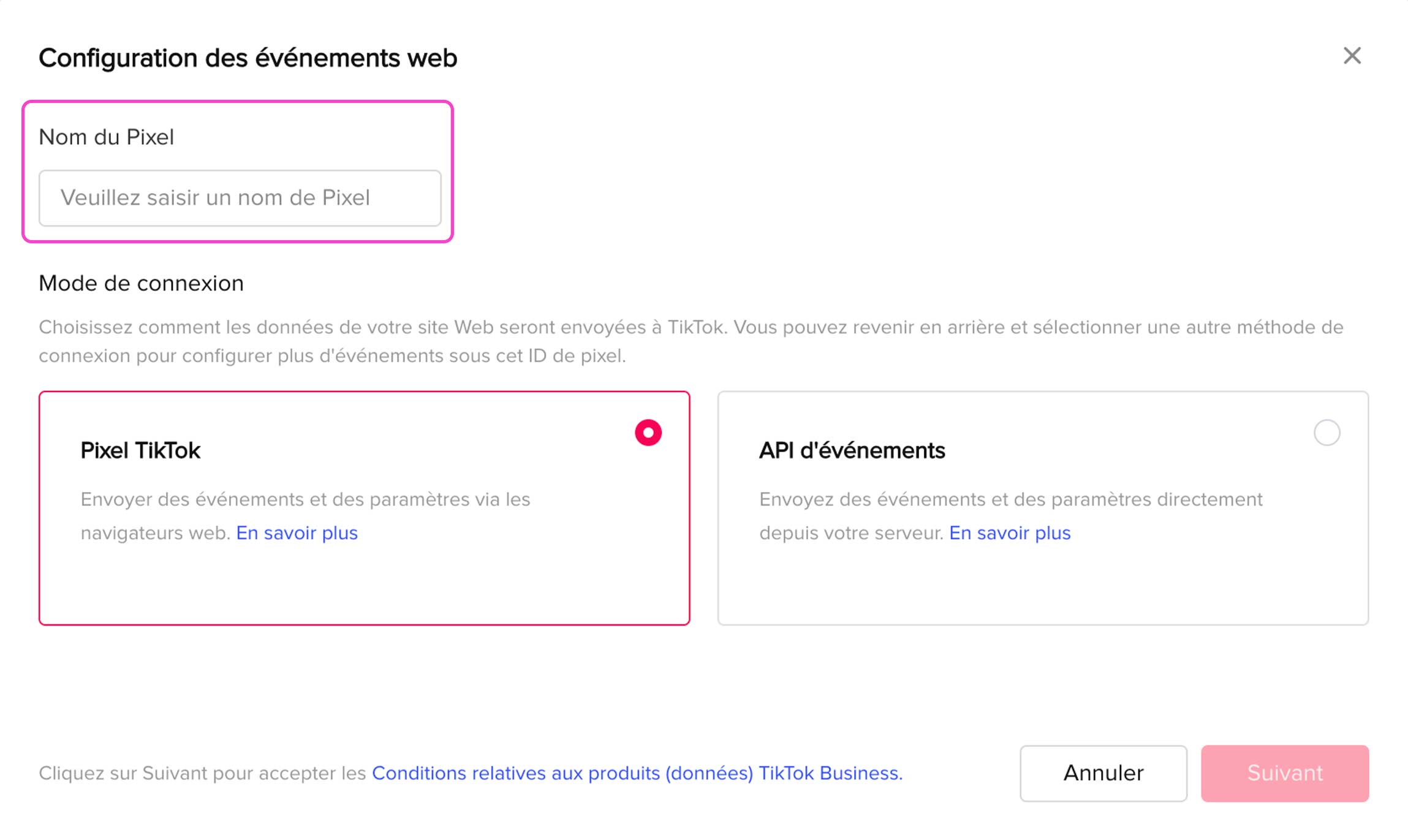
You can then name your pixel, in order to more easily remember its purpose (for example if it is used to track conversions on your website)
Then, choose the TikTok Pixel option under Login Method and click Next.
Step 2: Install the TikTok Pixel Code on Your Website or App
On the next screen, you will be able to Set up the events you want to follow with TikTok Pixel You will also have the possibility to manually install your pixel or to configure it automatically via a third party such as Shopify, PrestaShop, Salesforce or WooCommerce.
If you choose toinstall your pixel manually, click Manually install pixel code, then click Next. Copy the pixel's javascript code and then paste it into the header section of your website.
Look for a piece of code that starts with <head>and ends with</head>. Your pixel should start right after the tag<head>.
If you go through a third party, like WordPress, you can use a plugin to install the TikTok Pixel code even more easily. To do so, choose Automatically configure web events through partner platforms on the configuration screen of your pixel. Then click Next.
However, be careful with Please inquire carefully before, because some plugins can slow down the loading speed of your site.
Step 3: Start tracking events on your site
Pixel TikTok events are specific actions that users realize on your website or application.
With Pixel TikTok, you will be able to follow 14 different events :
- Fill in your payment information;
- Add an item to your basket;
- Add an item to your wishlist;
- Click on the button;
- Make a full payment;
- Complete registration for your newsletter;
- Contact request;
- Downloading the application;
- Start the payment;
- Order an item;
- Search for a product;
- Submit a form;
- Subscribe;
- Show the contents of your basket.
You can use TikTok Pixel events to track user behavior on your site or app and how far they are progressing through your sales funnel. From this data, it will be easier for you to create personalized audiences and ads.
Step 4: Optimize TikTok Pixel
For your TikTok Pixel to be even more effective, you can also:
- Check the status of your pixel with TikTok Pixel Helper. This will allow you to ensure that the follow-up is carried out correctly.
- Choose a scenario based on your business goals and adjust your event settings accordingly.
- Remember to select Developer Mode when you set up your event. Otherwise, your tracking will be incorrect.
An essential tool for optimizing your TikTok Ads campaigns
TikTok is undoubtedly the best social network to boost brand awareness and generate more sales. But to reach your goals, your brand must Make sure you're targeting the right people with the right content
Pixel TikTok will allow you to collect all the data you need to optimize your advertising campaigns and boost your conversion rate!
So do not hesitate to install it and experiment with the different events to better understand what TikTok users are doing on your site or app. And if you need help improving the content and targeting of your TikTok Ads based on this data, you can call on our agency !






.avif)