
YouTube Analytics Guide: Analyzing Your Channel Data
Learn how to use and analyze YouTube Analytics data to track the performance of your videos and YouTube channel to reach your goals.
March 12, 2026

Addressing YouTube Analytics should not turn into an obsession. It is by identifying the right ones performance indicators and by putting them at the heart of your strategy, your channel will become more relevant, without losing you in an ocean of data.
According to a recent Hubspot study, 77% of marketers Have adopted YouTube to boost the visibility of their brand. Of course, investing in video content on the platform can be more expensive than on other social networks, but the challenge is worth it if you know how to optimize your resources. That's why a thorough understanding of YouTube Analytics is critical. In fact, you can rely on tangible data to analyze how your audience interacts with your content, and make the right decisions to guide your strategy accordingly.
In this article, we present The main features of the tool and the metrics to prioritize, allowing you to adjust your content in light of your audience's interactions and to propel your YouTube channel to new heights.
How do I get access to YouTube Analytics?
YouTube Analytics is the console for monitoring your channel's metrics. It is accessible via the Youtube website and a specific mobile application.
To access YouTube Analytics from your computer:
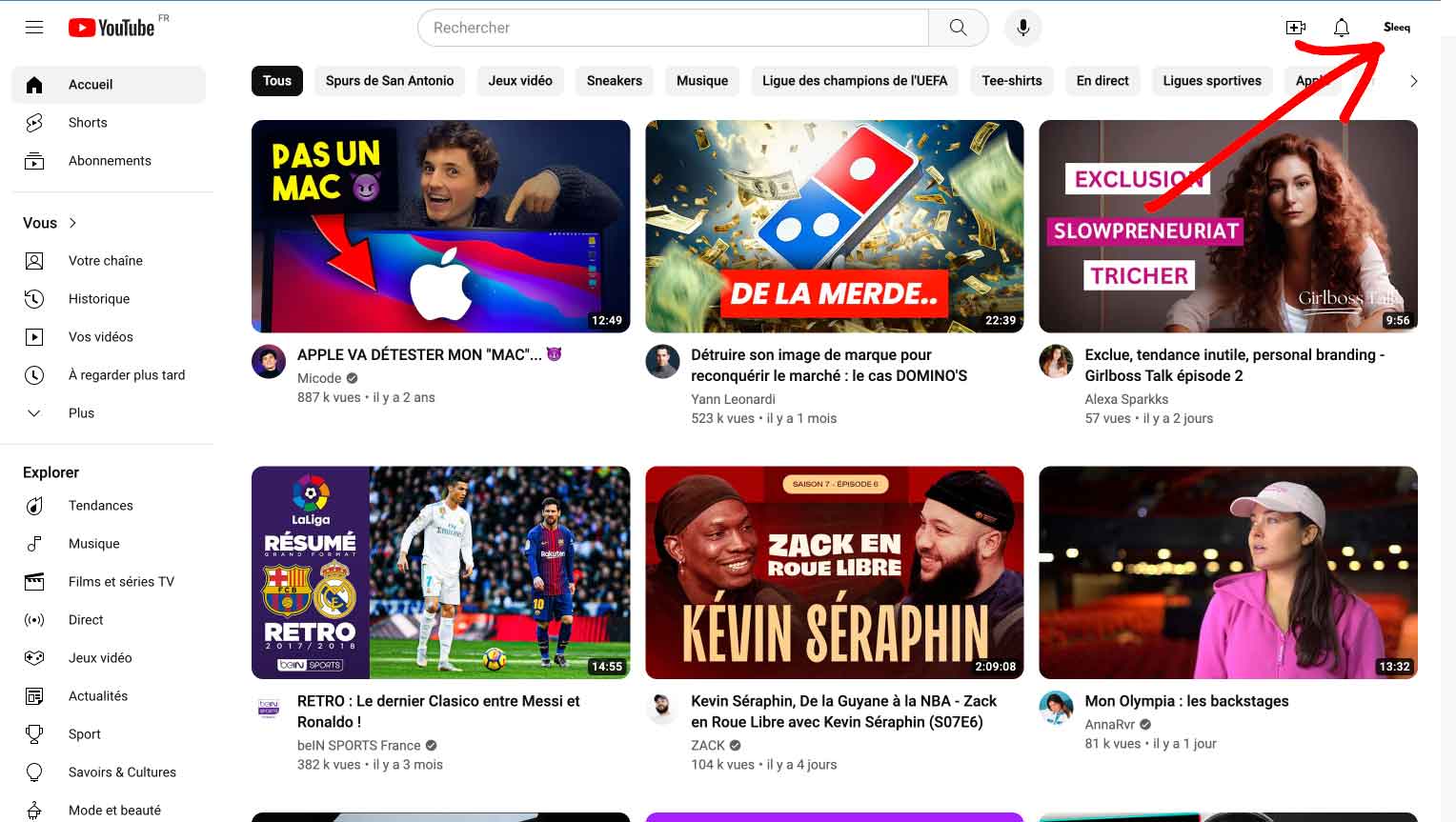
1. Sign in to your YouTube account and click on your profile icon in the upper right corner of the screen;
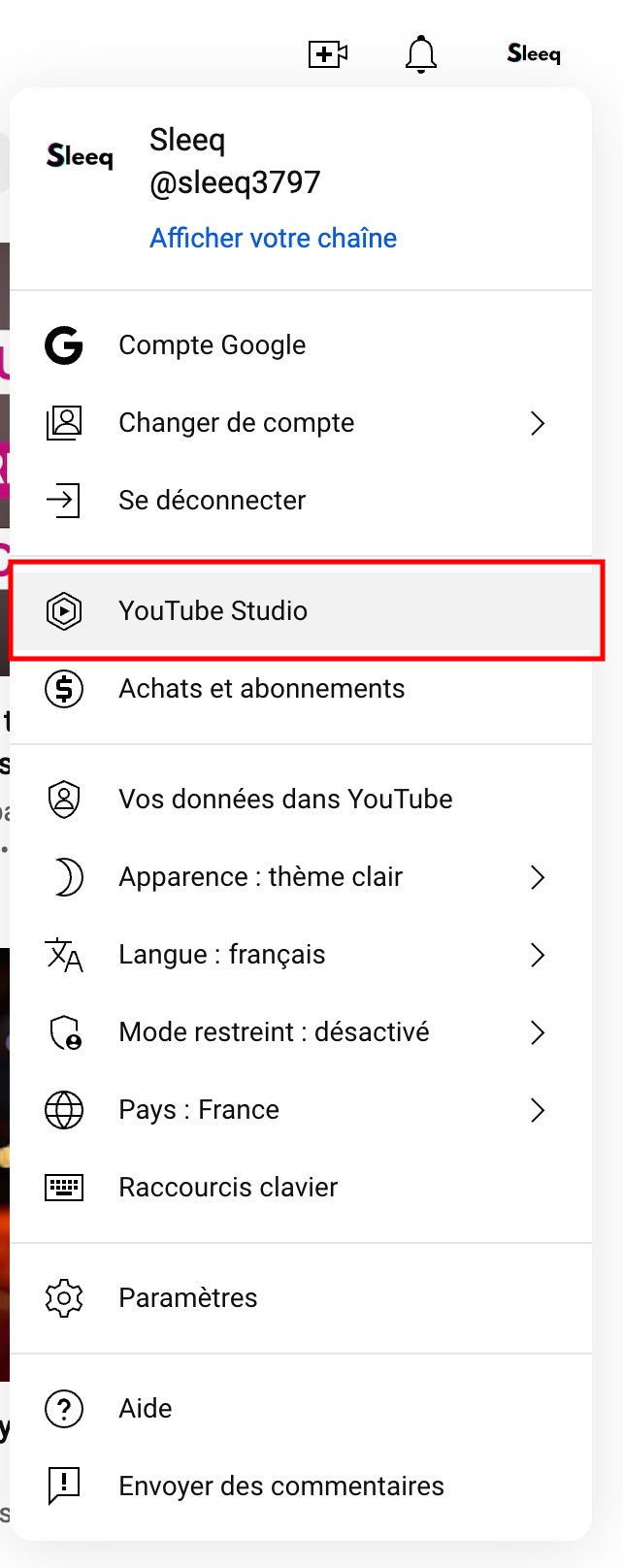
2. Select YouTube Studio.
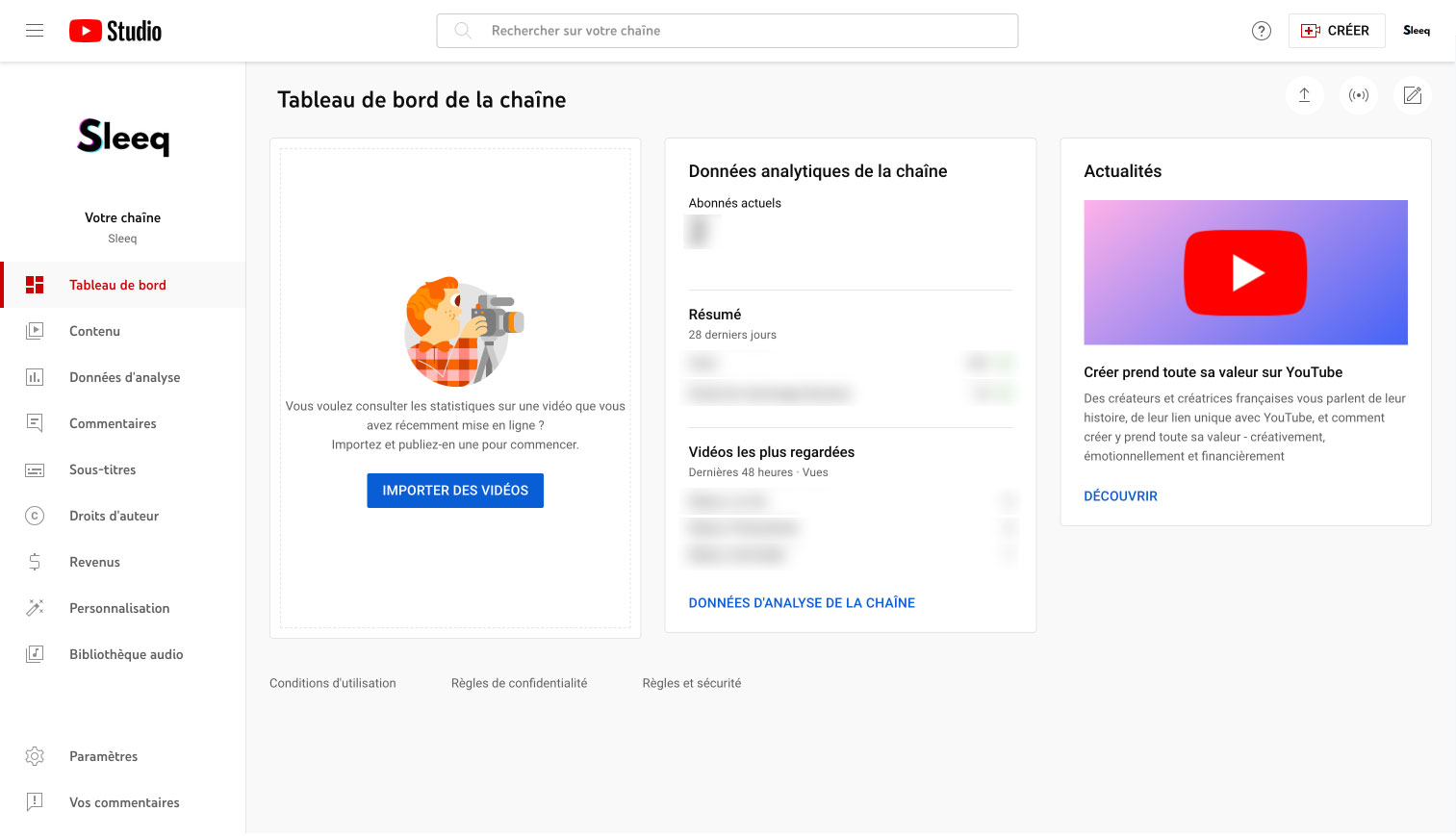
3. Welcome to your analytics dashboard YouTube marketing.
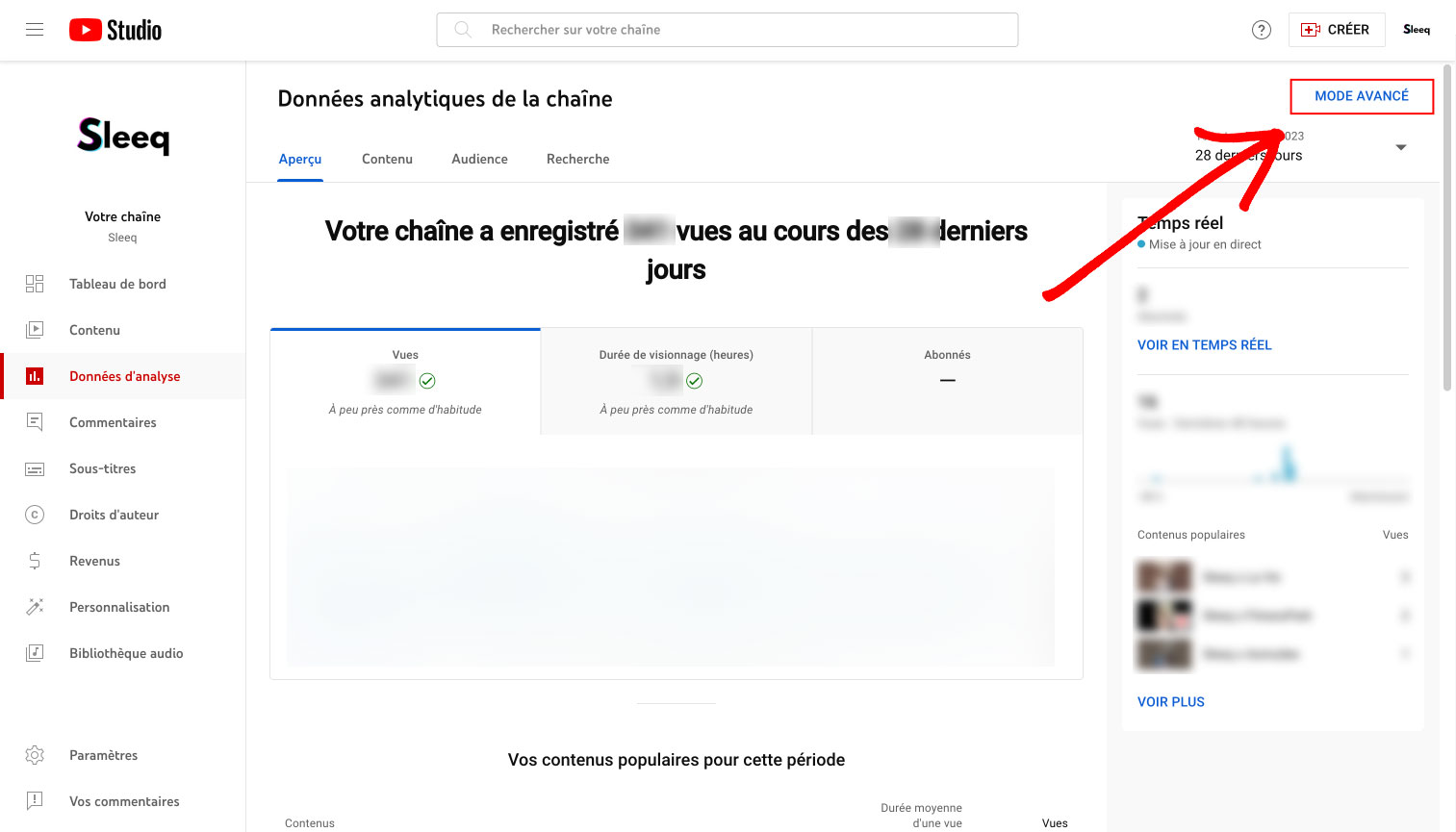
4. Select Advanced Mode in the top right corner. This will give you access to a detailed breakdown of the metrics of your YouTube channel, each of your videos as well as more detailed analyses (such as the source of traffic, the location of your audience, their age, gender, etc.)
4. Download a report of your YouTube metrics. Choose the settings you want to track in advanced mode. Then, click on the down-pointing arrow in the top right corner. Choose Google Sheets or a.csv file to generate your report.
To access YouTube Analytics from your smartphone:

First of all, you must first have installed YouTube Studio on your phone.
1. Open YouTube Studio and log in to your account.
2. Click on Analytics to access some summary metrics on the main dashboard.
3. Consult at the top of your screen, the different tabs — Search, Presentation, Content, Audience — according to the specific data you want to know.
How do you use data to improve your YouTube channel?
To succeed on YouTube, you have to find the right balance: you don't have to fixate on each number, but neglecting them means going forward blindly. With all the data that social networks offer us, it becomes a real headache to know what we really need to focus on. Some give you a superficial perspective, while others, like watch time, click through rate (CTR), and retention rates, offer finer, more strategic insights.
Wise use YouTube Analytics will not only allow you to:
- Understand audience preferences: Use YouTube analytics to find out what resonates the most with your viewers.
- Refine quality and format: Adjust video production based on analytical feedback to improve engagement.
- Release schedule: Plan your posts based on your audience's viewing habits to maximize reach.
- SEO optimization: Improve the SEO of your videos for better visibility on YouTube.
- Increase traffic via CTAs: Write incisive calls to action and engaging descriptions to direct traffic to other platforms or communication channels.
YouTube analytics tools are valuable allies in understanding the expectations of your subscribers and identifying targeted improvements. They are the key to captivate and hold their attention more sustainably.

Important data to follow for your YouTube channel
Of A lot of data is available in YouTube Analytics. Among those that you cannot ignore, there are:
1. The Watch Time
The viewing time corresponds to total number of minutes that viewers spent in front of your videos. This is a key metric because YouTube's algorithm assumes that longer watch time is a good signal of content quality. It will therefore put more emphasis on videos and channels with longer watch times.
In the YouTube Analytics Watch Time report, you can see the accumulated viewing time through your videos. But it is also possible to classify them by viewing time by grouping them by theme.
2. The average percentage viewed
The average percentage viewed corresponds to Percentage of each video that the average viewer watched. This data therefore measures the ability of your video to hold the attention of viewers in its entirety.
But when YouTube considers that your videos are capable of hold the attention of users, it raises them up in search rankings and recommendations.
3. The average viewing time
Average watch time is the total time you watched your video divided by the total number of plays (including replays). This metric measures the ability of your video to engage users.
If your video is failing to engage viewers, they will bounce back to your video quickly (by watching other content or even leaving the platform). This may therefore affect the visibility of your channel on YouTube.
4. The review rate
Reviewings correspond to the number of times Viewers are watching parts of your video again. If a lot of people are watching a specific part of your video again, it's an indication that they're probably interested in the topic that was being discussed at the time.
You can find this data in the absolute audience retention graph. Reviewings are generally iindicated by ascending curves on the chart.
5. Engagement metrics
Comments, shares, likes, and dislikes Give you valuable insights into the quality of your content and its adequacy with the expectations of your target. This will allow you to determine which topics work best with your audience or even draw new content/format ideas from comments left by users.
6. The click rate on impressions
Impression click rate measures the ability of your video to Encourage users to watch it after seeing it on their home page, recommendations section, or in the trends tab. A high click-through rate means that your title was compelling and that the subject of your video resonated with a lot of relevant audiences on YouTube.
Performing through YouTube data analysis
Ultimately, YouTube data analytics isn't just about collecting statistics and monitoring fluctuating charts; it's a strategic art that, when mastered, can transform the visibility of your videos and YouTube channel. Using YouTube Analytics wisely can elevate the quality of your videos, strengthen your content strategy based on your audience's preferences, optimize your SEO with keywords for more visibility, and adjust your publishing strategies to maximize impact.
Invest time in mastering YouTube Analytics and turning insights into concrete actions. So, each video will become an opportunity to further engage your audience and achieve your marketing and sales goals more effectively.






.avif)